
I Built a Chrome Extension for Generating SARS Test Data
If you’ve ever tested software that deals with South African tax data, you know the pain. You need a valid-looking ID number. Or a PAYE reference. Or an income tax number. And it can’t just be random digits; these numbers have specific formats and validation algorithms. Get the check digit wrong and your form rejects it before you can even say BAZINGA!

There are some extensions that allow you to generate a valid South African ID number but I needed all the numbers, so I built a Chrome extension that does it all for me.
The Problem
In a previous post, I mentioned working on validation for identification fields; PAYE references, SDL references, UIF references. That work made it impossible to quickly demo or use those screens. Luckily they are not all required fields but not required does not mean never used.
Every time you need to test an employee form, a company registration screen, or a tax submission flow, you need structurally valid reference numbers. Not real ones; just ones that pass the validation algorithms.
What It Does
SARS Testing Tools is a simple Chrome extension that generates six types of South African reference numbers:
- SA ID Numbers — 13 digits with Luhn check digit validation. You can filter by date range, gender, and citizenship status.
- Income Tax Numbers — 10 digits using the SARS Modulus 10 algorithm.
- Company Registration Numbers — In the
YYYY/NNNNNN/XXformat with 14 different company type codes. - PAYE References — 10 digits with SARS Modulus 10 validation.
- UIF References — Prefixed with
U, 10 characters total. - SDL References — Prefixed with
L, 10 characters total.
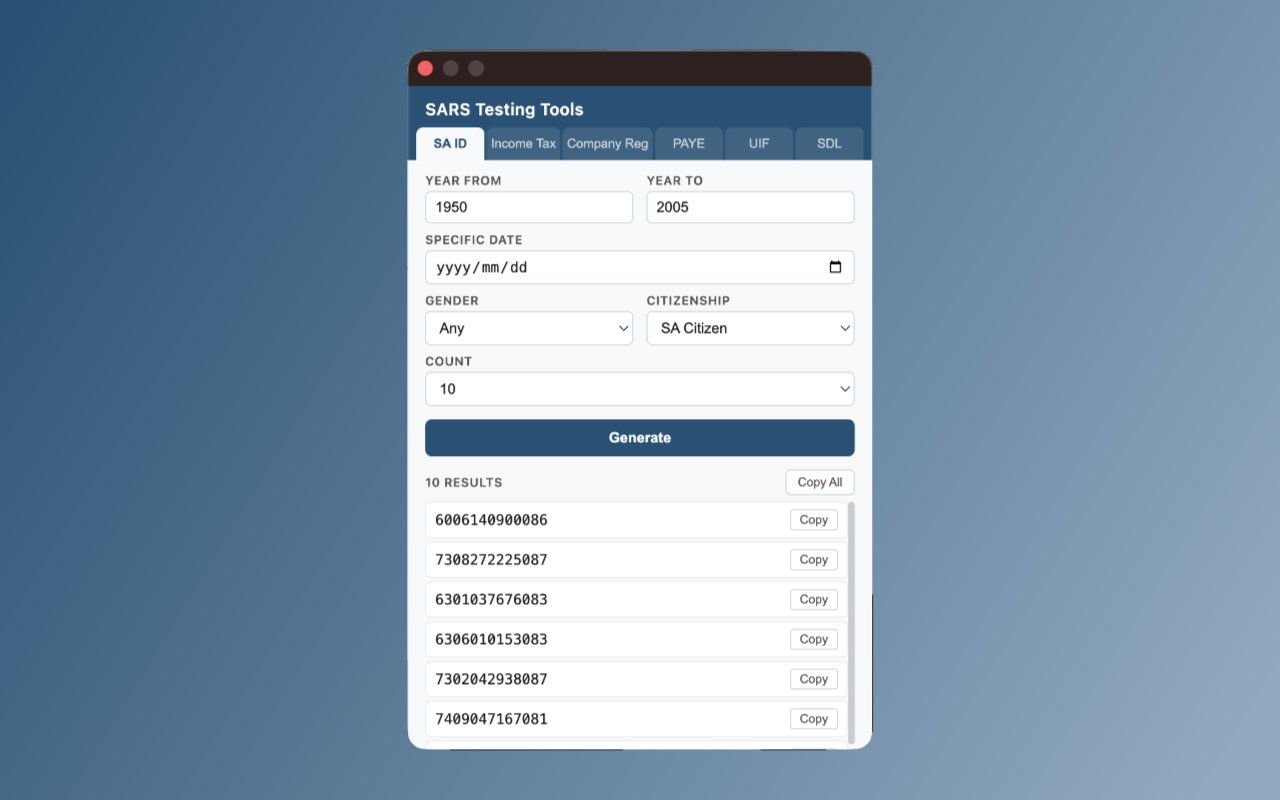
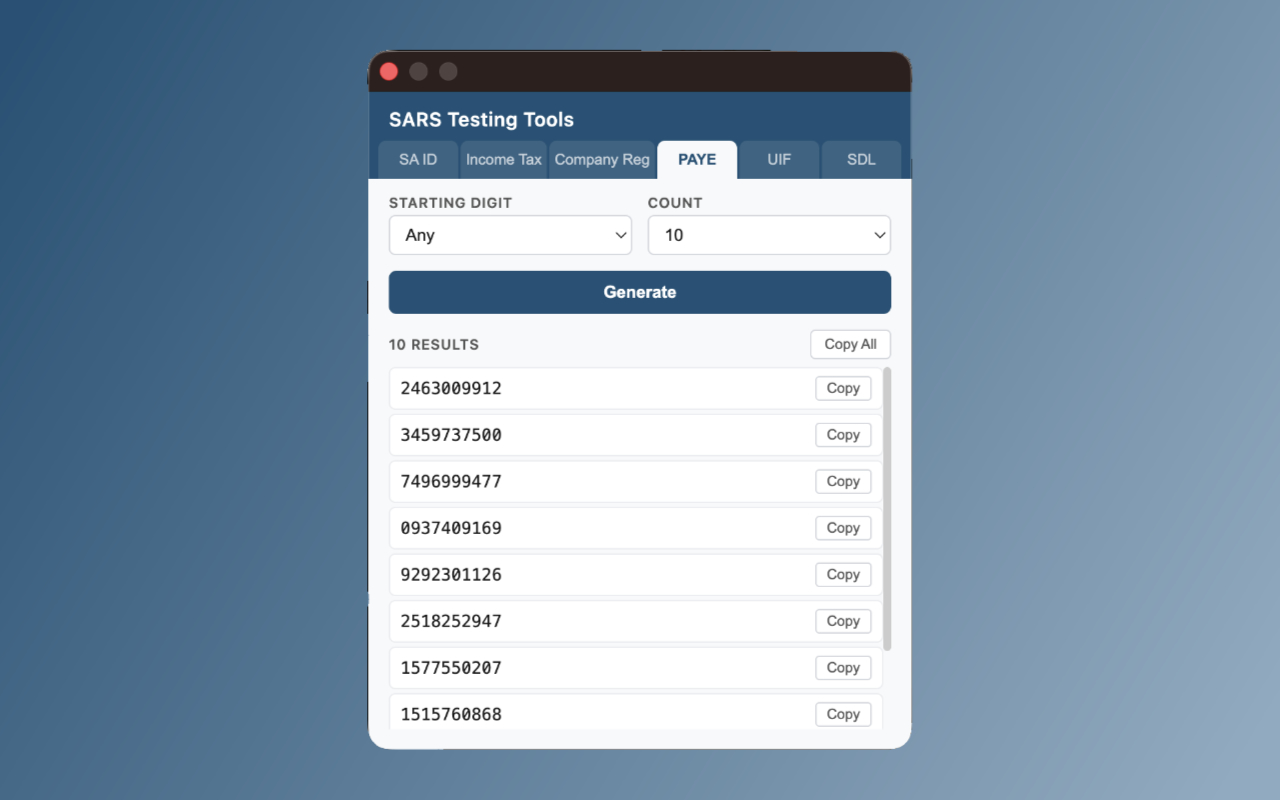
Every number it generates passes its respective validation algorithm. You can generate up to 25 at a time and copy them individually or all at once.
The Validation Algorithms
This is the part that makes generating these numbers non-trivial. You can’t just throw random digits together.
SA ID numbers use the Luhn algorithm. The first 6 digits are your date of birth, then 4 digits for gender (0000-4999 for female, 5000-9999 for male), a citizenship digit, an unused digit, and finally a check digit calculated from all the preceding digits.
SARS tax numbers (income tax, PAYE, UIF, SDL) use a variation of Modulus 10. It’s similar to Luhn but processes digits left to right instead of right to left. For PAYE, UIF, and SDL numbers specifically, the algorithm substitutes the first character with 4 before computing the check digit.
Here’s the SARS Modulus 10 implementation:
export function calculateSarsModulus10CheckDigit(digits, substituteFirst = null) {
  const arr = digits.split('').map(Number);
  if (substituteFirst !== null) {
    arr[0] = substituteFirst;
  }
  let sum = 0;
  for (let i = 0; i < arr.length; i++) {
    let val = arr[i];
    if (i % 2 === 0) {
      val *= 2;
      if (val > 9) val -= 9;
    }
    sum += val;
  }
  return (10 - (sum % 10)) % 10;
}
Not rocket science, but it’s the kind of thing you don’t want to be doing by hand every time you need a test number.
How It’s Built
The extension is intentionally simple. Vanilla JavaScript with ES6 modules, no build step, no frameworks. Each reference type has its own generator module, and shared validation logic lives in utility files.
├── popup.html / popup.css / popup.js
├── js/
│   ├── generators/
│   │   ├── sa-id.js
│   │   ├── income-tax.js
│   │   ├── company-reg.js
│   │   ├── paye.js
│   │   ├── uif.js
│   │   └── sdl.js
│   └── utils/
│       ├── helpers.js
│       ├── luhn.js
│       └── sars-modulus10.js
It runs entirely locally. The only permission it needs is clipboardWrite for the copy functionality. No network requests, no data collection, no analytics.
I used Chrome’s Manifest V3, and there’s a GitHub Actions workflow that validates the tag version against manifest.json and produces a Chrome Web Store-ready zip on each release.
Give It a Try
If you’re working with South African tax systems, payroll, or company registration flows, this might save you some time. It’s free and open source.
It’s a small tool, but its really useful.